How to Renew Your Eligible New Jersey Driver License Online
Renewing a New Jersey driver license online can save a trip, but only if your credential and situation qualify. The practical challenge is knowing what to check before starting, what to do if your record needs attention, and how to plan while the new card is in the mail. Here’s how to approach the process without assuming every renewal can be completed online.
What online renewal can and cannot do
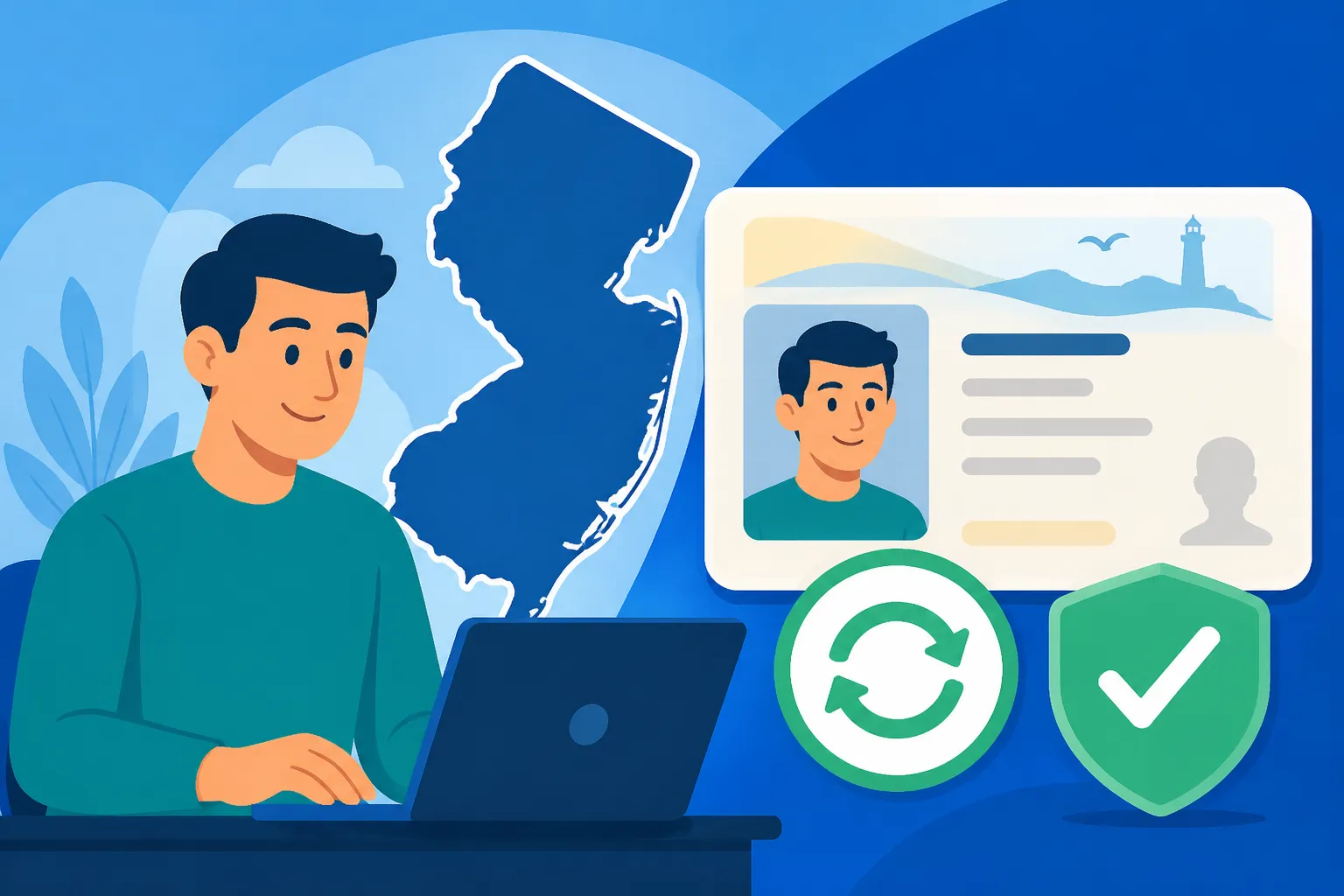
The New Jersey Motor Vehicle Commission (MVC) offers online renewal for eligible credentials. According to the New Jersey Motor Vehicle Commission, standard licenses or IDs can be renewed online, and REAL ID licenses or IDs can also be renewed online. That means having a REAL ID does not, by itself, rule out online renewal. It does not mean every holder is eligible in every circumstance, either.
The distinction that matters is between the type of credential and the status of your particular record. A credential type may be supported online, while an individual renewal still requires a different process. The MVC’s current renewal service is the place to verify whether your license can be renewed online and what steps are available for your situation.
| Credential or circumstance | What to take from it | What to check |
|---|---|---|
| Standard New Jersey license | The MVC says eligible standard licenses can be renewed online. | Whether the MVC’s renewal service accepts your specific record |
| REAL ID license | The MVC says eligible REAL ID licenses can be renewed online. | Whether your record is eligible and whether your credential information is current |
| Standard or REAL ID identification card | The MVC says eligible IDs can be renewed online. | Whether you are renewing an ID rather than a driver license, and which instructions apply |
| A record that needs correction or review | Online renewal may not resolve an underlying issue. | Whether the MVC directs you to another service or an agency visit |
| An application that does not offer online renewal | Do not assume you can bypass the restriction by trying another route. | The MVC’s instructions for your specific renewal |
An online service should be treated as a path the MVC makes available for eligible records, not as a general substitute for every licensing transaction. If you need a new credential because of a name change, a replacement because your card is missing, or help resolving a hold, those may be different tasks from routine renewal. Start by identifying what you actually need, then follow the MVC’s instructions for that task.
If you are unsure what kind of card you have, check the credential itself before beginning. For a REAL ID, the star is a useful identifying feature; How to Check if Your New Jersey Driver License Has the REAL ID Star can help you understand what to look for. If you are deciding whether to upgrade rather than simply renew, read Upgrading to a New Jersey REAL ID Driver License before starting a transaction.
The core benefit of renewing online is convenience. You may be able to complete the renewal without traveling to a licensing center, but the process still depends on the MVC accepting your application and completing its checks. Online access does not remove the need to provide accurate information, follow the instructions shown to you, or respond if the agency tells you that something else is required.
Check eligibility before you start
The most useful first step is not entering information or looking for a payment screen. It is checking whether the MVC currently allows you to renew your particular license online. The MVC may determine eligibility based on information associated with your record, and the exact instructions can change. Use the official MVC renewal service to check the current answer rather than relying on what worked for another driver.
Treat the result shown for your own record as the deciding point. A family member’s eligibility does not establish yours, and the fact that a credential is a standard license or REAL ID does not settle every other condition. The MVC confirms that both credential types can be renewed online when eligible; it does not mean everyone with either type can use the online service.
Before you try, make sure you know which transaction you need. These situations can seem similar but may involve different processes:
- Routine renewal: Your current license is approaching renewal, and you want to extend your driving credential.
- Replacement: Your current card is lost, stolen, or damaged, but you are not necessarily renewing it.
- Information update: Your legal name or other record details need correction.
- Status problem: You are unsure whether your driving privilege is active, or a suspension, fine, or other hold may affect the renewal.
- Credential upgrade: You want a different credential type, such as changing from a standard license to REAL ID.
If you are dealing with a missing card rather than an expiring license, start with Lost New Jersey License: Replace Online or Go in Person?. For a damaged card, Replacing a Damaged New Jersey Driver License Online vs In Person explains why replacement and renewal should not be treated as interchangeable. If your goal is to change your credential to REAL ID, check the MVC’s directions for that upgrade instead of assuming a routine renewal will make the change.
A status concern is worth checking before you begin. A renewal transaction should not be used as a way to guess whether you are legally allowed to drive. If you are uncertain about your standing, use Find Out If Your New Jersey Driving Status Is Active or How to Check If Your New Jersey License Is Suspended to identify the separate status question. Resolve any issue through the MVC’s stated process before relying on a new renewal application.
Eligibility can also depend on whether the information on your record is current. If your address has changed, find out whether you need to report it before renewing. The MVC’s process for updating an address may not automatically issue a new physical license, so do not assume a renewal application will correct every address issue. Online Address Changes in New Jersey: Why You Do Not Get a New Card explains that distinction.
If the online service does not let you proceed, pause and read the explanation it gives. A blocked online application is not necessarily a technical error; it may indicate that the MVC requires another transaction or additional attention. Avoid repeatedly submitting applications or switching between different transaction types without understanding the message. Save the information you need to follow the official next step.
Prepare your information and choose the right transaction
Careful preparation can prevent a straightforward renewal from turning into a confusing one. Before opening the MVC renewal service, gather the information you expect to need and check that it matches your current record. The exact information and verification steps can depend on the online service, so use the MVC’s instructions rather than relying on a generic checklist.
Start with the license in front of you. Check the name, address, credential type, and other identifying details. If something is wrong, determine whether the MVC expects you to correct it before renewing or whether the online transaction can handle it. Do not enter an old address or a different name simply to get past a screen. Information that does not match your record can create a delay or lead to the wrong credential being issued.
Think about what you want the new credential to represent. If you are content with a standard license, you may be dealing with a routine renewal. If you want a REAL ID credential, confirm that the MVC’s renewal process supports your particular request and whether it asks you to take any separate action. Since eligible REAL ID licenses can be renewed online according to the MVC, there is no need to assume that every REAL ID renewal must happen in person. Still, use the instructions displayed for your own record.
If your identifying documents or name have changed, handle that as a separate planning issue. A renewal may not be the right way to correct a legal name mismatch. Review Legal Name Changes on a New Jersey Driver License: Where to Start and Updating Your Legal Name With the New Jersey Motor Vehicle Commission if the name on your record needs attention. The MVC determines which documentation and transaction are required; do not assume that uploading or entering a new name during renewal is enough.
Address changes deserve similar care. Make sure you understand whether you need to notify the MVC before renewing and whether you need a replacement card after reporting the change. If you have recently moved within New Jersey, Moving Within New Jersey: Reporting Your Address Update may help distinguish the address notification from ordering a new physical credential. If the move was from another state, that is not a routine renewal; use How to Transfer an Out-of-State License to NJ to assess the transfer process.
If you do not know whether your current card is standard or REAL ID, identify it before selecting a transaction. If the card is not available, the MVC’s instructions can help you determine what to do next. Do not choose a credential type based only on what you would prefer to receive. The online service needs to match your existing record and the transaction the MVC permits.
Have a reliable way to review the instructions as you go. Read the screens rather than clicking through from habit, especially when asked to confirm personal or mailing information. If you see a detail that is unfamiliar or inconsistent, stop and check the MVC’s guidance before submitting. A little time spent verifying the transaction can be more useful than completing an application that does not address your actual need.
Finally, consider whether an online renewal is practical for you right now. It may be convenient if your record is eligible, your information is accurate, and you can complete the required steps without assistance. If you have a complicated record issue or cannot tell which service applies, using the MVC’s official guidance first may save confusion. In-person service is not a failure; it is an appropriate route when the agency directs you there or when an online transaction cannot meet your needs.
Follow the MVC’s online renewal process carefully
The online process should be guided by the MVC’s own renewal service. Because screens and instructions may change, use the steps presented there rather than relying on an older description of the interface. The following sequence is a practical way to approach the transaction while leaving the MVC to determine what is required for your record.
- Open the MVC’s official renewal service. Make sure you are using the New Jersey Motor Vehicle Commission’s service for license renewal, not a page for replacement, address updates, or another transaction.
- Check the eligibility result for your record. If the service says you cannot renew online, follow its direction instead of trying to force the application through.
- Confirm the credential you are renewing. Make sure the service and your current card correspond to a driver license rather than a non-driver ID, and confirm whether you hold a standard or REAL ID credential.
- Review personal and mailing details. Check each detail before moving forward. If the record appears incorrect, determine whether the MVC directs you to correct it before applying.
- Read each instruction and required declaration. Do not treat a renewal as a formality. The MVC may ask you to confirm information or complete verification steps before it accepts the application.
- Complete the transaction as directed by the MVC. Follow the official prompts for any payment or confirmation step, and use the current instructions shown on the MVC service.
- Keep the confirmation or transaction details available. Save whatever the MVC provides so you can refer to it if you need to check progress or contact the agency about an issue.
This sequence is intentionally broad. A step-by-step description that assumes every applicant sees the same screens can mislead people whose record requires a different path. The MVC’s service is the authority for the current instructions and for whether the transaction has been accepted.
Pay particular attention to the point where the service confirms the credential type. An online renewal for an eligible standard license is not automatically an upgrade to REAL ID, and a REAL ID renewal is not a reason to skip any instruction the MVC gives you. If your goal is different from renewing the credential already on your record, stop and review the MVC’s separate guidance before submitting.
Do not submit a second application just because the first screen does not immediately show a new card or a final status. First check whether you received a confirmation and whether the MVC gives you a way to follow the transaction. Repeating a request can make it harder to tell which application is current, especially if you have not confirmed whether the first submission succeeded.
If you encounter an error, note the exact wording and the point where it occurred. This makes it easier to distinguish a technical problem from a record or eligibility issue. Use the MVC’s instructions for resolving that specific error. If the service tells you to visit a licensing center or complete another process, follow that direction. For general planning around an agency visit, Checklist for Preparing Your First In-Person NJ MVC Agency Visit can help you organize the visit, while the MVC’s official service information should determine the documents and appointment requirements for your transaction.
A confirmation message is useful, but do not treat it as proof of every fact you have not verified. Check what the MVC says the confirmation means and whether you need to take any further action. Keep the confirmation with your other renewal records until you receive the new card and are satisfied that the process is complete.
Standard and REAL ID renewals
A common point of confusion is whether a REAL ID changes the renewal method. According to the New Jersey Motor Vehicle Commission, eligible standard licenses and eligible REAL ID licenses can both be renewed online. The difference between the two credentials does not, by itself, answer whether a specific person’s record qualifies. Check the online service for your own renewal.
If you have a standard license and want to keep it, look for the standard renewal instructions. If you hold a REAL ID license, check that the MVC service recognizes it and that the renewal request corresponds to the credential you intend to keep. Do not assume that selecting a different credential type in an online form will convert your card. A renewal and an upgrade are separate goals, even when they involve the same driver record.
A REAL ID is not required for the act of driving simply because it is a REAL ID. It is a credential choice with uses beyond driving, and the right choice depends on what identification you need. If you are unsure which card suits your situation, Standard vs REAL ID in New Jersey: Spotting the Star on Your Card can help you compare the credential types. The MVC’s current instructions determine whether you can renew the card online.
If you are planning to upgrade, first check what the MVC requires for that change. A renewal may let an eligible REAL ID holder renew online, but that does not establish that someone with a standard credential can complete a first-time REAL ID upgrade online. For that question, consult Upgrading to REAL ID: Why You Must Visit an NJ MVC Agency in Person and the MVC’s current REAL ID instructions. Prepare the required documentation only after confirming the correct transaction.
Document readiness matters most when your planned transaction involves a credential change or a record correction. The rules for identity and address evidence are specific to the service, so do not assume that documents used for one MVC transaction will automatically satisfy another. Checklist of Required Paperwork for a New Jersey REAL ID may help you identify the kinds of preparation involved in an upgrade. Follow the current MVC requirements for your own application.
A non-driver ID is also distinct from a driver license, even though the MVC says eligible IDs can be renewed online. If you hold an ID rather than a license, select the ID renewal service and follow the applicable instructions. Do not use a license renewal path merely because the online service looks similar. If you need to understand the credential itself, Complete Guide to Non-Driver Identification in New Jersey covers that separate topic.
When the MVC’s online service does not recognize the credential you expect, check the details on the current card and the record instructions before trying another transaction. A mismatch may reflect an input mistake, a credential issue, or a different service requirement. If the displayed information appears wrong, ask the MVC how to correct it rather than submitting an application under a different credential type.
What to expect after you submit
Once the MVC accepts a renewal, the next concern is often timing. According to the New Jersey Motor Vehicle Commission, a newly renewed license is delivered by mail within 2 to 4 weeks. Plan for that delivery period, but use the MVC’s instructions for any question about the status of your specific credential. The stated delivery period does not remove the need to follow the directions attached to your transaction.
Keep the confirmation details from the online service. If the card does not arrive when expected, those details can help you identify the transaction and ask the MVC what to do. Before you make another request, check whether the MVC provides a status option or guidance for delayed delivery. Do not assume that a missing envelope means the renewal failed, and do not assume the renewal succeeded if you have not received a confirmation.
The period while the card is being mailed can raise practical questions about driving. Follow the MVC’s instructions about what confirmation or temporary documentation, if any, applies to your transaction. Do not assume that a screenshot, email, or payment record is a substitute for a valid license unless the MVC specifically says it is. Carrying Your NJ Paper Renewal Receipt While Awaiting the Card may be useful for understanding this issue, but the official MVC directions control what applies to your situation.
Make sure your mailing information is correct before submitting. If you notice an error after applying, do not assume that changing your address online will redirect a card already in production or in the mail. Check with the MVC about how to correct a mailing problem and whether any separate action is needed. If you recently changed addresses, review Changing Your Address Online Before NJ License Renewal before you begin, and confirm the current instructions with the agency.
When the card arrives, check the details rather than putting it away unopened. Confirm that the identifying information and credential type match what you requested. If something is incorrect, use the MVC’s directions for reporting or correcting the problem. A renewal confirmation does not guarantee that every printed detail is right, so checking the credential is a sensible final step.
Do not discard or destroy the old card until you understand the MVC’s instructions for handling it. The agency may have guidance about what to do with an expired or replaced credential, and the process can depend on the transaction. Destroying Your Expired New Jersey License After Renewal addresses that question. Follow the current MVC directions rather than relying on a general assumption about whether the prior card should be kept or disposed of.
If the renewed license has not arrived after the stated delivery period, use the MVC’s official instructions to check on it. Keep your transaction details and note when you submitted the renewal. If you have a mailing issue, explain that clearly when following up. Avoid submitting a duplicate renewal unless the MVC tells you to do so; a second transaction may not solve a delivery problem.
When online renewal is not the right route
An online renewal is useful when the MVC says your record is eligible and the transaction matches what you need. It is not necessarily the best route when you need to correct a record, replace a missing credential, change your legal name, resolve a suspension, or upgrade to a different credential. These tasks can overlap with renewal, but they are not automatically handled by the same service.
Start by identifying the obstacle, not by repeating the renewal attempt. If the service says you are ineligible, read its explanation and check the MVC’s instructions for the next step. If the problem is that the online service cannot verify your information, confirm that the information you entered matches your record. If the record itself is inaccurate, ask the MVC how it should be corrected.
An unresolved suspension or other driving-status issue should be handled directly. A renewal application is not a way to restore driving privileges or clear an outstanding hold. Use Resolving New Jersey Driving Suspensions and Fines or How to Resolve Outstanding Tickets and NJ Holds to understand the separate issue, then follow the MVC’s directions. Do not drive based on the assumption that submitting a renewal has changed your status.
If your card is expired, do not assume that online renewal is available simply because routine online renewal exists. Check the MVC service and follow its result for your record. If the application directs you to an agency, do not rely on a general renewal description to override that instruction. For a license that has been expired for a long time, Expired License Renewals: Why You Cannot Renew Online in NJ may help explain why a different process can apply.
If the task requires an in-person visit, plan for the correct type of MVC location. Driver licensing transactions and vehicle transactions may be handled at different centers, so verify the location and service before traveling. Licensing Center vs Vehicle Center: Picking the Right NJ MVC can help you distinguish the types of centers. Use the MVC’s official office locator to find the nearest office and its current hours, and check the agency’s appointment instructions before you go.
A visit is also worth considering if the online service cannot address a complicated combination of changes. For example, a name change, an address correction, and a credential upgrade may each raise separate questions. Rather than guessing which one to submit first, check the MVC’s guidance for each task and ask the agency which order it requires. You can then prepare the correct paperwork and avoid making repeated trips.
For a new resident, renewal is generally not the same as transferring an out-of-state license. If you have recently moved to New Jersey and still hold another state’s credential, check the MVC’s transfer process instead of trying to renew it as a New Jersey license. New Resident Checklist for NJ License Transfers and Transferring an Out-of-State License to NJ: Initial Application Steps cover the transfer topic.
The aim is not to avoid an office visit at all costs. Online renewal is a convenient option when the MVC offers it for your record, but it is only useful if it completes the right transaction. If the official service points you elsewhere, following that direction is usually more efficient than trying to make an online renewal fit a different problem.
Frequently Asked Questions
Can I renew a New Jersey REAL ID license online?
Yes, if your renewal is eligible. According to the New Jersey Motor Vehicle Commission, eligible REAL ID licenses can be renewed online. Check the MVC’s service for your own record and follow the instructions it provides.
Can I renew a standard New Jersey license online?
The MVC says eligible standard licenses can be renewed online. Eligibility depends on your record, so confirm it through the official renewal service rather than assuming every standard license qualifies.
Does online renewal automatically change my license to REAL ID?
Do not assume that it does. A renewal is different from an upgrade. Check the MVC’s instructions for the credential you want and confirm whether your transaction is a renewal or a REAL ID change.
How long does a renewed New Jersey driver license take to arrive?
According to the New Jersey Motor Vehicle Commission, a newly renewed license is delivered by mail within 2 to 4 weeks. If it does not arrive as expected, follow the MVC’s instructions for checking on the transaction.
What should I do if the online renewal service says I am not eligible?
Read the message and follow the MVC’s direction. Your next step may depend on whether the issue is eligibility, a record correction, or a different transaction. Do not submit repeated applications or assume an online renewal can resolve a separate status problem.
Sources
- New Jersey Motor Vehicle Commission — NJ MVC | Online Services (checked November 11, 2026)
Disclaimer
This article is for general informational purposes only and does not constitute professional advice. Laws, prices and regulations vary by location and change over time. Consult a qualified professional for guidance on your specific situation. New Jersey Driver Guide is not a government agency and is not affiliated with any state motor vehicle department.